Is my modem compatible with my new speed?
Your modem’s maximum speed
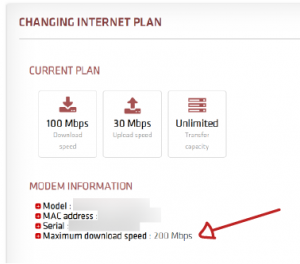
To check if the modem you are currently using is compatible with your new speed, login to the customer zone. Click the Settings icon to the right of your internet plan. You will be redirected to another page.
The maximum speed your modem can support will be indicated in the Modem information section.
If your modem does not support the speed you want and you wish to get a compatible modem, you will need to change your plan by contacting customer service at 1-877-282-6933 or via the chat option on the website.
EBOX Internet you want it?
Sign up now