How do I update the EBOX TV app?
Updating your EBOX TV app
To identify your device model, look at the label under the EBOX TV set-top box:
- EBOX TV 1.0 (Sagemcom)
- EBOX TV 2.0 (Technicolor)
- EBOX TV 3.0 (Askey)
Updating your EBOX TV 1.0 and 2.0 app
To update the EBOX TV app, open the settings screen by pressing the “Settings” button on your remote.

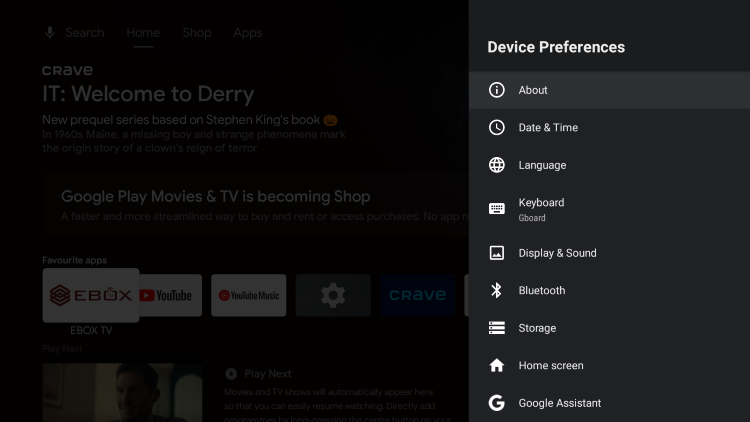
Select “Device preferences”.
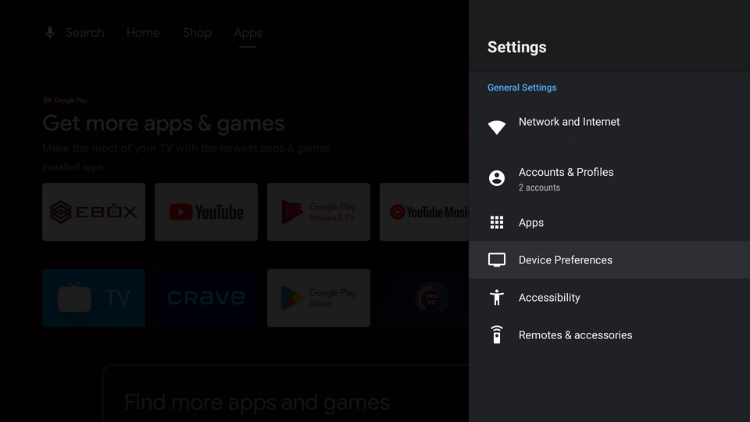
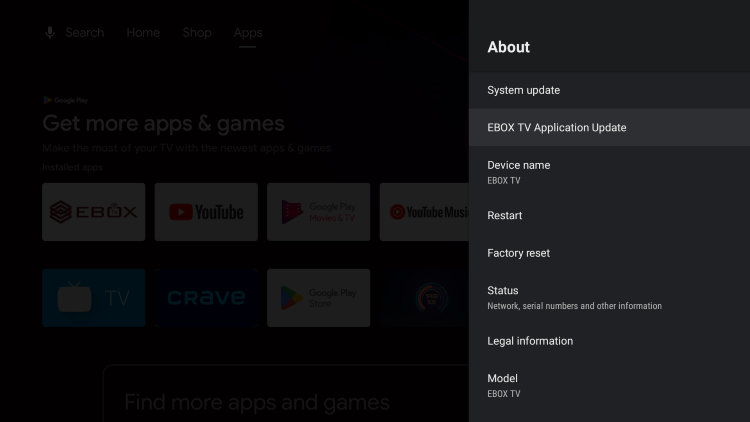
Then select “About” and “EBOX TV Application Update” and follow the instructions.
Updating EBOX TV 3.0 app
Access the home screen by pressing the “Back” button on the remote control.

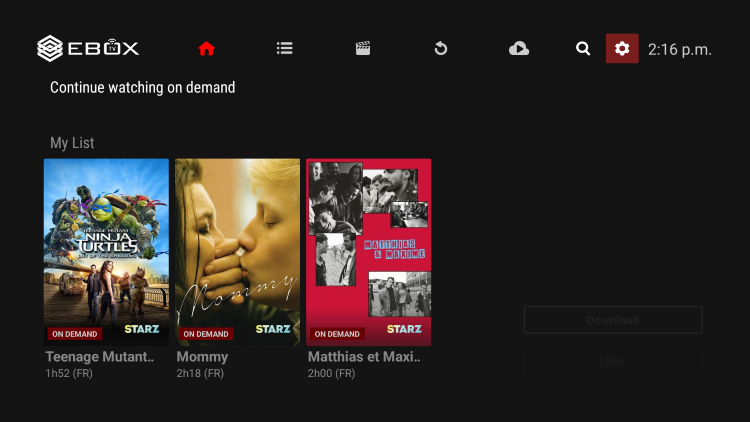
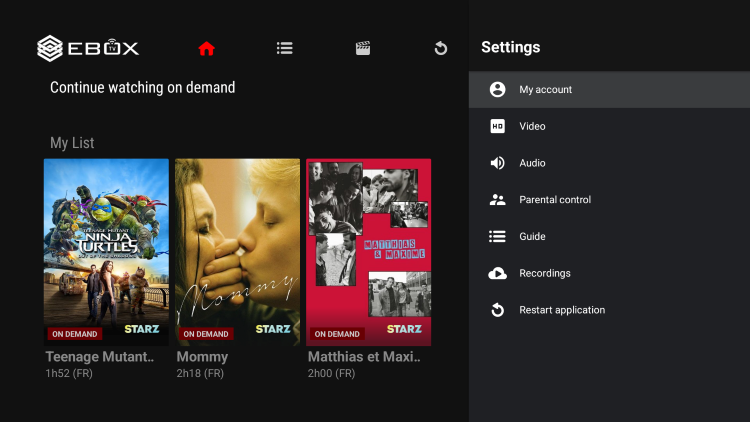
From the EBOX TV app home screen, select the “Settings” menu identified by the gear icon in the top right corner.
Select “My account”.
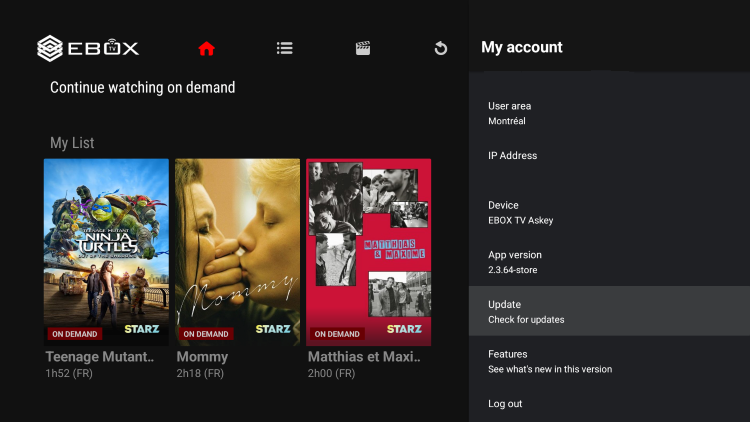
Then select “Update”.
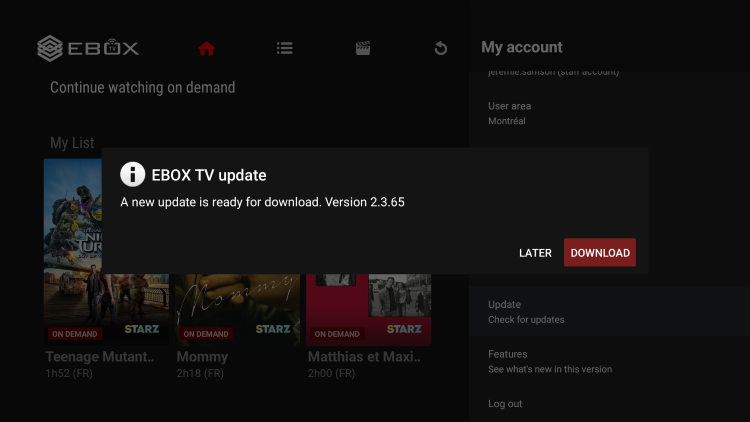
You will be prompted to download the update. Follow the instructions on the screen.
EBOX Internet you want it?
Sign up now