How do I restart the EBOX TV app
Restart the EBOX TV app
There are two ways to restart the EBOX TV app.
Method 1
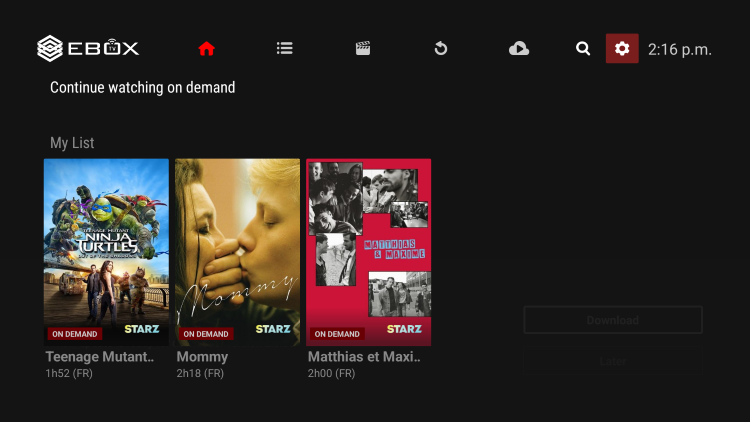
In the EBOX TV app, open the “Settings” menu by selecting the gear icon in the upper right corner.
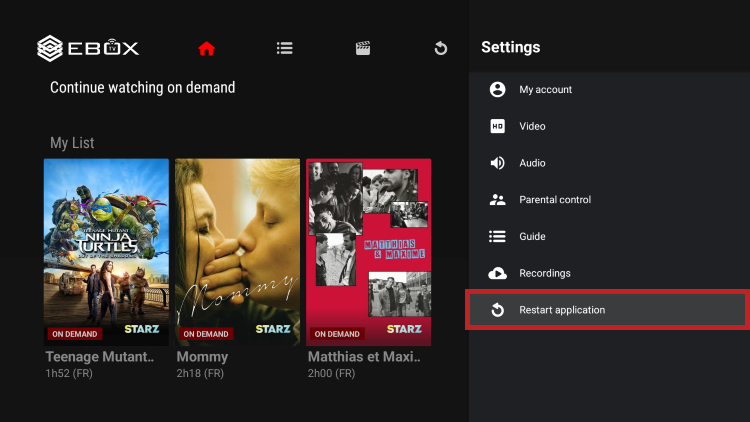
And select “Restart application”.
Method 2
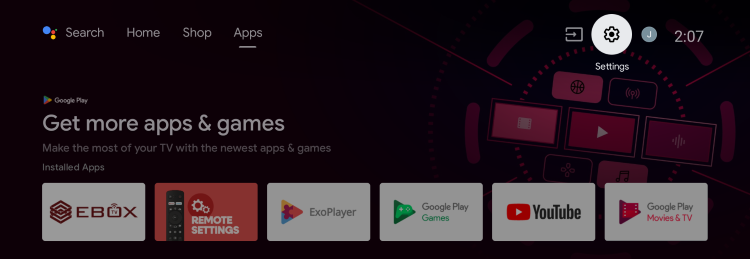
From the Android home screen, access the “Settings” menu by selecting the gear icon in the upper right corner.
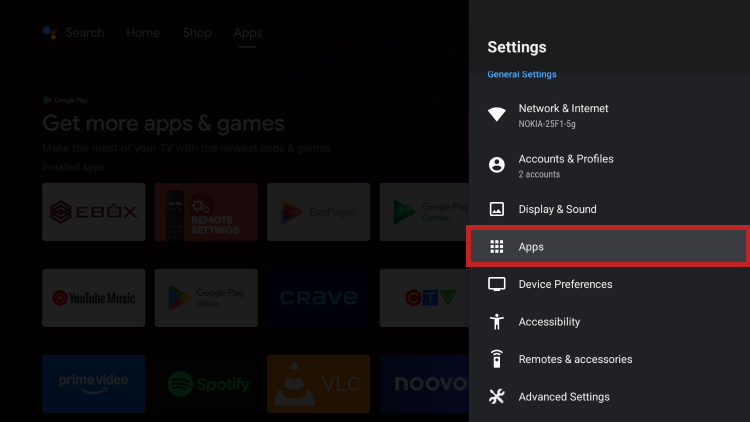
Select “Apps”.
Under “Recently opened apps”, find EBOX TV.
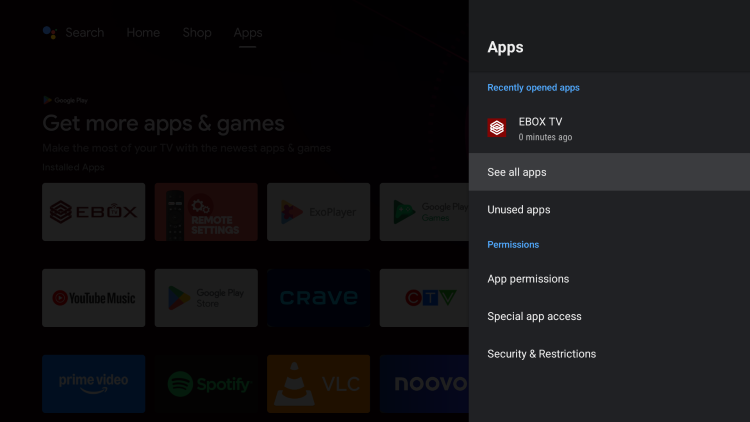
Then select the “Force stop” option.
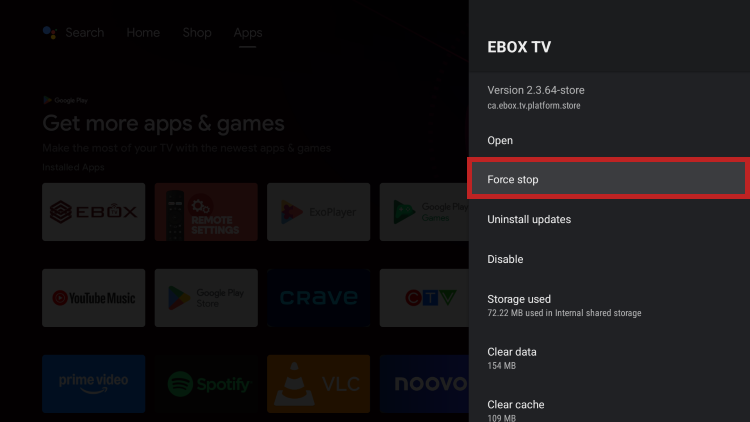
You can restart the EBOX TV app by selecting “Open” or pressing the EBOX TV button on the remote control.
EBOX Internet you want it?
Sign up now