Resetting the EBOX TV
Reinitializing the EBOX TV
To identify your device model, look at the label under the EBOX TV set-top box:
- EBOX TV 1.0 (Sagemcom)
- EBOX TV 2.0 (Technicolor)
- EBOX TV 3.0 (Askey)
Reinitializing the EBOX TV 1.0
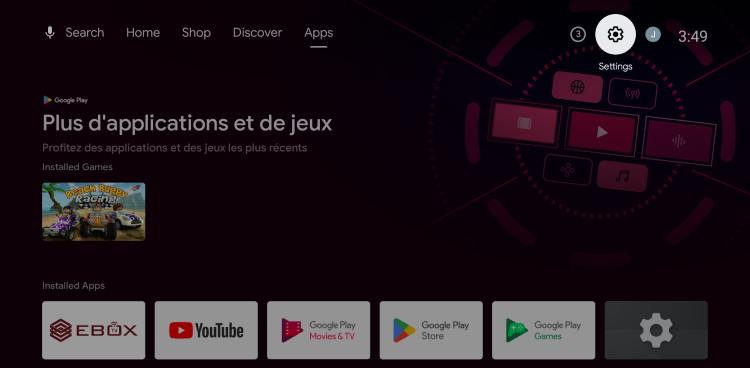
To restore the factory settings of the EBOX TV 1.0, select the “Settings” menu represented by the gear icon at the top right of the Android home screen.
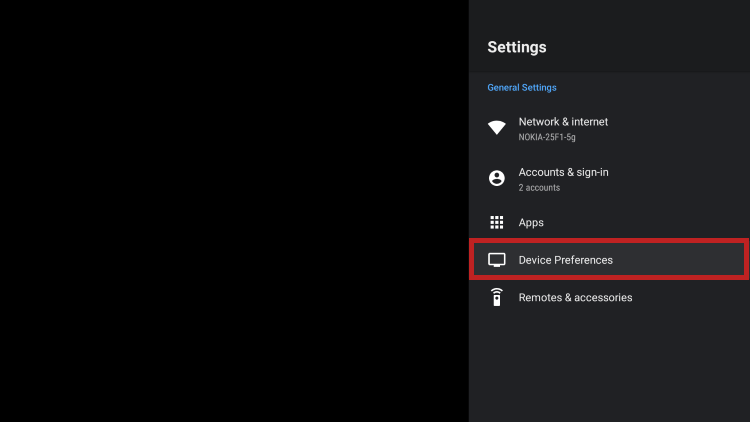
Then, go to the “Device Preferences” menu.
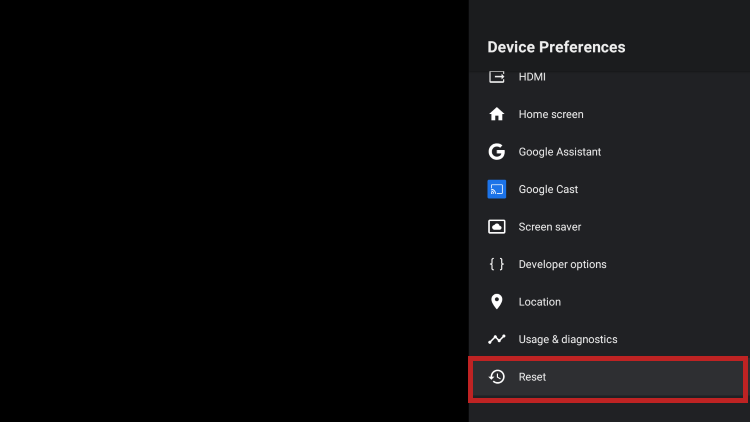
At the bottom of the page, select “Reset” and follow the steps displayed on the screen.
Reinitializing the EBOX TV 2.0 and 3.0
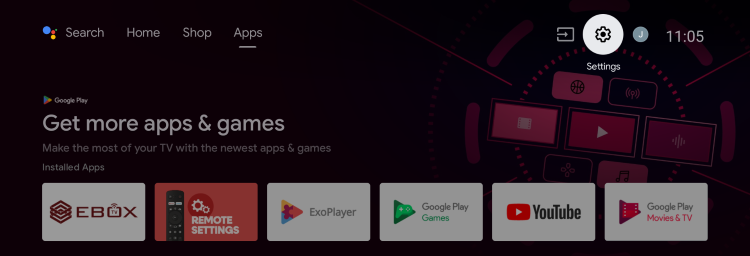
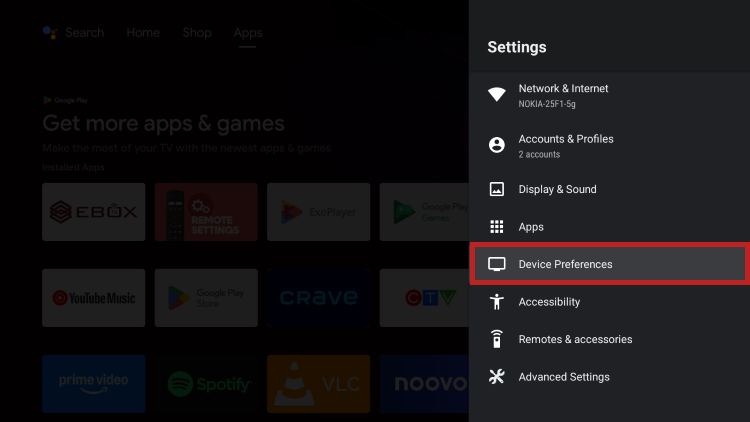
To restore the factory settings of the EBOX TV 2.0 or 3.0, select the “Settings” menu represented by the gear icon at the top right of the Android home screen.
Then, go to the “Device Preferences” menu.
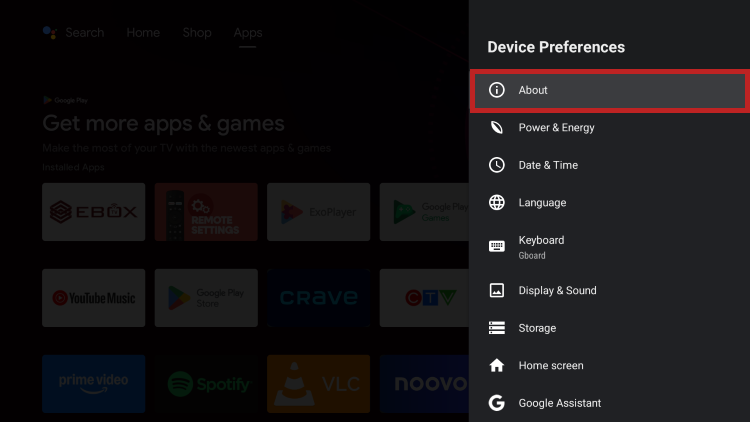
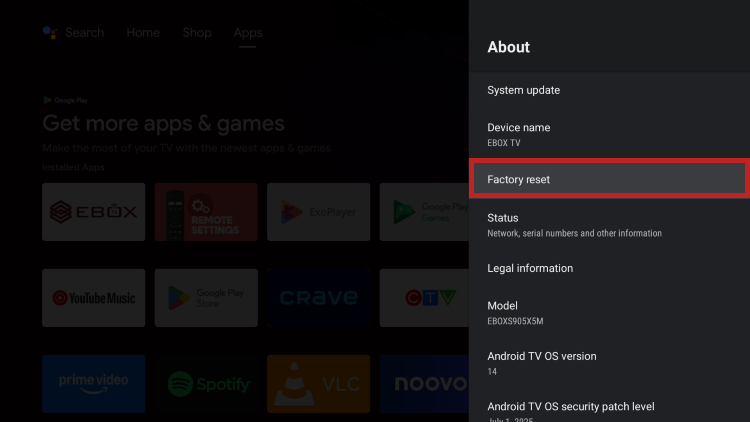
Then, in the “About” section, select “Restore factory settings” and follow the steps displayed on the screen.
EBOX Internet you want it?
Sign up now