How do I pair my remote in Bluetooth mode?
Pairing your remote in Bluetooth mode
To identify your device model, look at the label under the EBOX TV set-top box:
- EBOX TV 1.0 (Sagemcom)
- EBOX TV 2.0 (Technicolor)
- EBOX TV 3.0 (Askey)
Pairing the remote control for EBOX TV 1.0 and 2.0
To pair the remote in Bluetooth mode, long press – between 5 and 10 seconds – on the “WPS” button located on the side of the TV box.
Then, press the “PLAY/PAUSE” and “OK” buttons of your remote at the same time for 5 seconds.
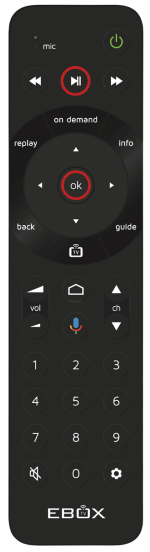
Pairing the remote control for EBOX TV 3.0
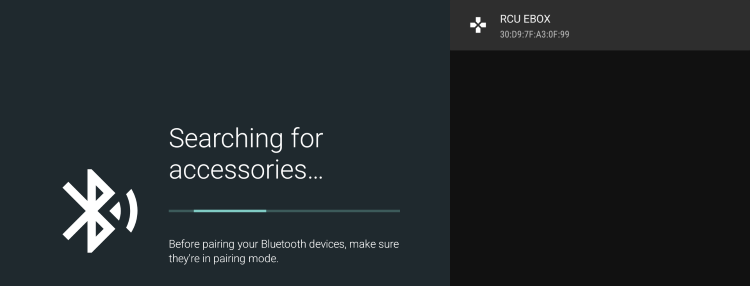
To pair the EBOX TV 3.0 remote control with the set-top box in Bluetooth mode, press the Bluetooth pairing button on the side of the EBOX TV 3.0 set-top box and the “Search for accessories” screen will appear.
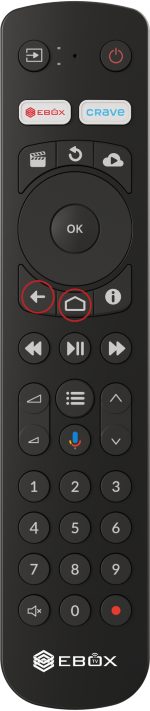
Then, press the “BACK” and “HOME” buttons on the remote at the same time for 3 seconds. The indicator light will flash green and the remote control will be in Bluetooth pairing mode for 60 seconds.
EBOX Internet you want it?
Sign up now