Moving My EBOX Services
Moving your EBOX services
You can request a change of address in the “My account” tab of the Customer Zone. This process can be completed in a few easy steps and only takes a few minutes to complete. If you wish to move and also change your internet plan or your tv plan, you will need to submit the requests separately.
You can check the FAQ at the bottom of the page before completing your request.
Moving in a few easy steps
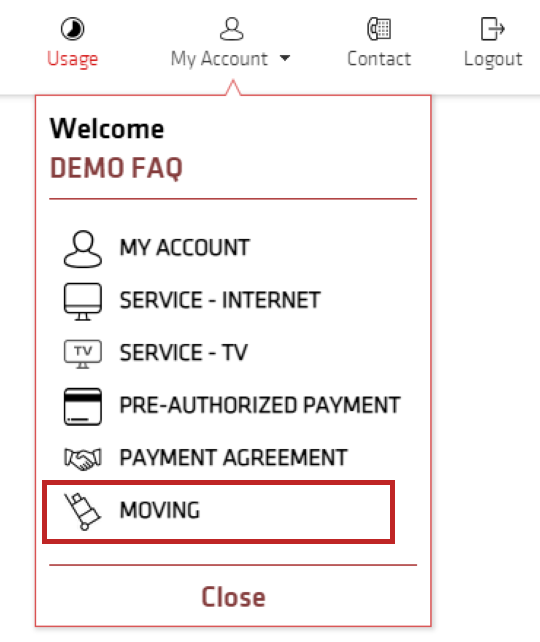
Step 1: Open the moving form
Go to the Customer Zone. Click on the “My Account” tab and select the “Moving” option.
Step 2: Address qualification
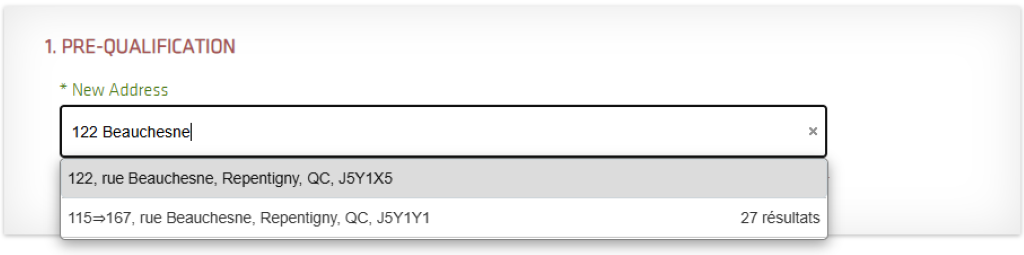
This step is used to determine if the type of technology to which you are currently subscribe is available at your new address. Enter your new address in the “New Address” field. Please make sure to select the correct apartment number if applicable.
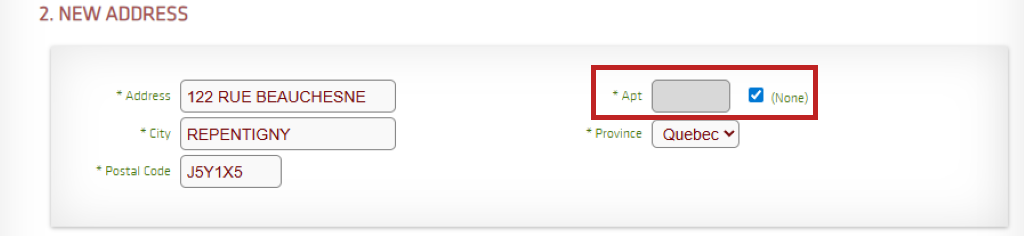
You will then be prompted to verify that the new address you have chosen is correct. If your new address has an apartment or unit number, be sure to add it in the “Apt” field. If there is no unit number, check the “None” box.
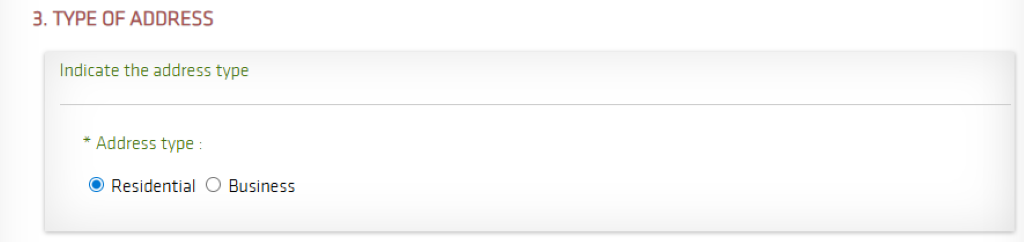
Then, select the type of address. If you are moving into a house, apartment, condo or any other type of private property, select the “Residential” box. If you are moving your services to a commercial space, store, office or other place of business, select the “Business” option.
Step 3: Select the moving date
Indicate the date of your move in the box provided by clicking on the calendar icon. The selected date corresponds to your desired service connection date at your new address.
A service installation can only be done at your new address once the service at your current address is disconnected. Unfortunately, it is not possible to have active services at both addresses at the same time.
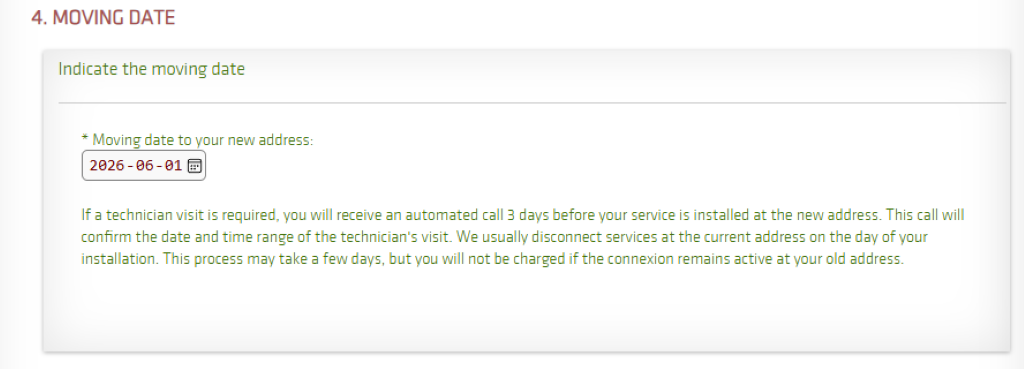
Step 4: Providing your availabilities and submitting the form
You may now select the installation times that suit you. Note that a person 18 years of age or over must be on site for the entire duration of the time slot that will be allocated to you for the technician visit.
If you are available at all times, you can click the “All” option to select all the time slots at once. In the “Additional Note” section, you can enter the doorbell number, the access code, that the doorbell does not work, etc. This information is relayed to the technician.
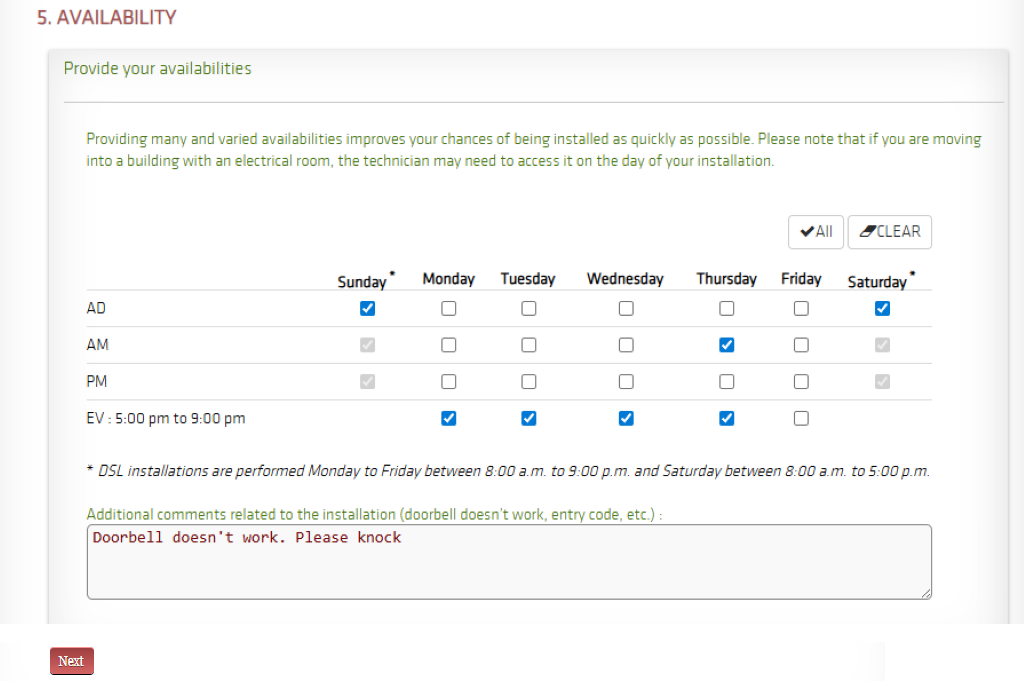
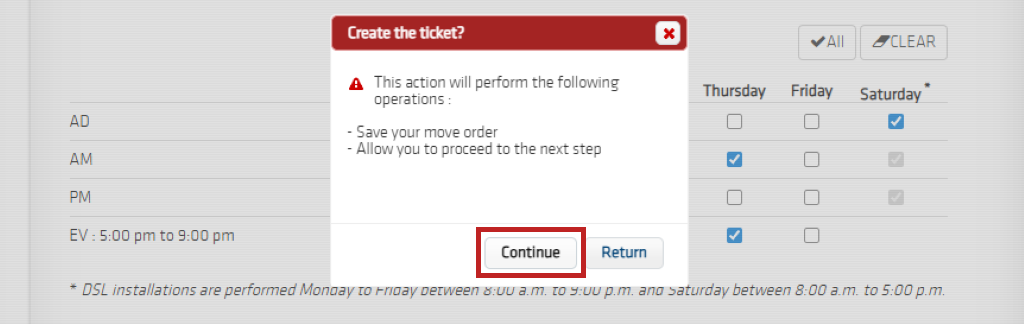
Click “Next” and “Continue”.
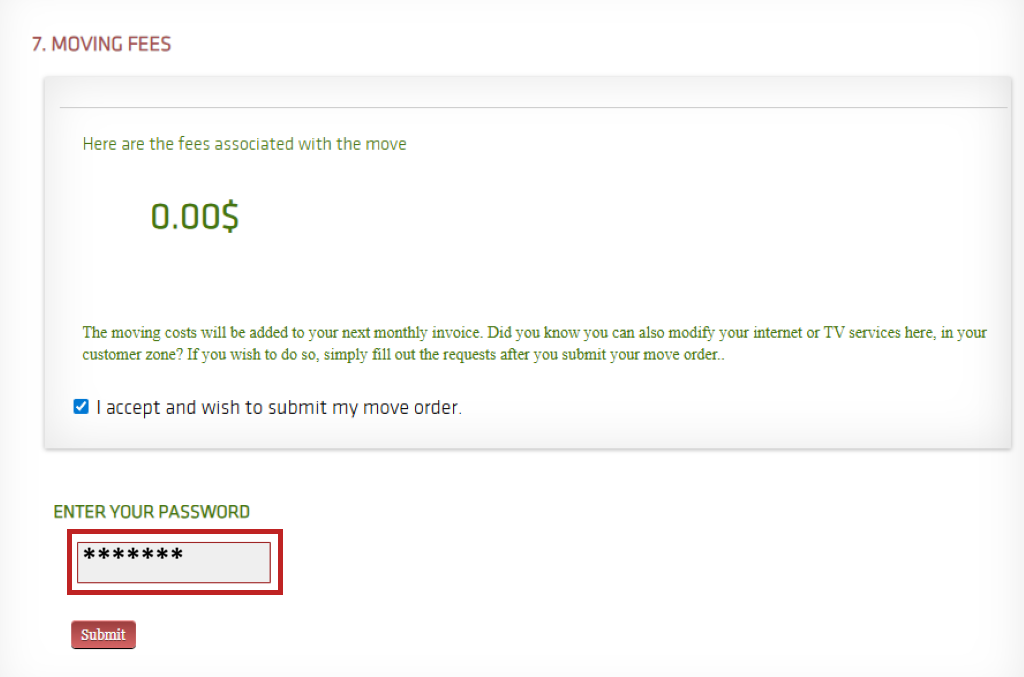
The moving costs, if there are any, will appear on the screen. If you submit the form, the fees will be added to your next invoice. Please check the box to accept the fees and enter your Customer Zone password in the designated field to validate your consent. To send us your request, click “Submit”.
A pop-up window will appear to confirm that your move request has been submitted.

Three days before the installation, we’ll send you an email and a SMS to let you know the date and time slot of your appointment, as well as all the important details you need to keep in mind.
IMPORTANT: If you are subscribing to fibre internet, you will need to leave your ONT (fibre modem) at your old address. The technician will provide you with a new ONT on the day of your installation. However, you will need to bring the rest of your equipment (router, EBOX TV) with you.
FAQ
When should I plan my move?
It is best to notify us of a move at least 14 days in advance. If you plan to move during peak moving season, i.e., in the summer, it is recommended that you notify us as soon as possible. Installation times may be longer due to the high volume of move requests.
How much does a move cost?
Moving is currently free!
How long does it take?
The installation timeline for a move is approximately 7 days. This timeline is provided as an estimate and is subject to change depending on demand.
Is a technician’s visit necessary?
Yes, a technician visit is usually necessary.
I’m moving to another province. Can I move my services online?
At the moment, moves to another province can’t be completed online. Just give us a call at 1-844-323-3269, and our team will be happy to help you take care of your move.
EBOX Internet you want it?
Sign up now